Links


Banner

Showing posts with label Newsletters. Show all posts

March 15, 2021

  February 2021 Newsletter!

I'm excited to share our next newsletter - February 2021, check it out! 

To view the PDF, just click on the link above and download the PDF to you computer. You do not need dropbox or to install anything, just download the file.

Like us on Facebook: 
Buckner Elementary Art

Like us on Instagram and Twitter: 
Art is my Jam


January 29, 2021

 January 2021 Newsletter!

January 2021 Newsletter

I'm excited to share our next newsletter - January 2021, check it out! 


To view the PDF, just click on the link above and download the PDF to you computer. You do not need dropbox or to install anything, just download the file.


Like us on Facebook: 
Buckner Elementary Art

Like us on Instagram and Twitter: 
Art is my Jam


August 24, 2020

August 2020 "Back to School"  Newsletter!

I'm excited to share our next newsletter - August 2020 Newsletter, check it out! 


To view the PDF, just click on the link above and download the PDF to you computer. You do not need dropbox or to install anything, just download the file.

Like us on Facebook: 
Buckner Elementary Art

Like us on Instagram and Twitter: 
Art is my Jam


August 23, 2020

 back to school

Welcome to the 2020/2021 School Year "Virtual Style"

Soon we begin the 2020/2021 School Year and it's definately going to be a unique situtation. This will be my first year not being face-to-face with my amazing art students. My heart is heavy as I LOVE seeing all my students each and every day. But, I will be teaching ART...just VIRTUALLY and I'll get to seem them through google meet once a week so that's a huge plus. I'm hoping this will be short lived and we can be back in the classroom together soon. So making the best of this, I've created a ton of interactive and virtual art lessons. As I get them all complete, I'll post them for all to see. 

Here's one of many....my DIGITAL/INTERACTIVE "Welcome Letter" for parents with all the different links and information to hopefully make things easier. 

July 13, 2020

"Bitmoji Fever" Google Slides

I've been working hard on creating a faster digital workflow for students and myself. Check out my new cover and I'm adding lots of links to enhance their learning. Here's a preview and I'll have it "live" soon :)
Art is my Jam! Virtual Classroom 


February 07, 2020


I'm excited to share our next newsletter - January Newsletter, check it out! 


To view the PDF, just click on the link above and download the PDF to you computer. You do not need dropbox or to install anything, just download the file.


Like us on Facebook: 
Buckner Elementary Art


Like us on Instagram and Twitter: 
Art is my Jam

January 07, 2020


Follow Me... 
on Instagram “artismyjam”. 

It'd love to be able to connect digitally around the world and share idea with you. I have some really exciting things coming and I post a lot more on my Instagram page. 


December 16, 2019


I'm excited to share our next newsletter - December Newsletter, check it out! 


To view the PDF, just click on the link above and download the PDF to you computer. You do not need dropbox or to install anything, just download the file.


Like us on Facebook: 
Buckner Elementary Art


Like us on Instagram and Twitter: 
Art is my Jam

November 10, 2019


I'm excited to share our next newsletter - October Newsletter, check it out! 

To view the PDF, just click on the link above and download the PDF to you computer. You do not need dropbox or to install anything, just download the file.


September 29, 2019

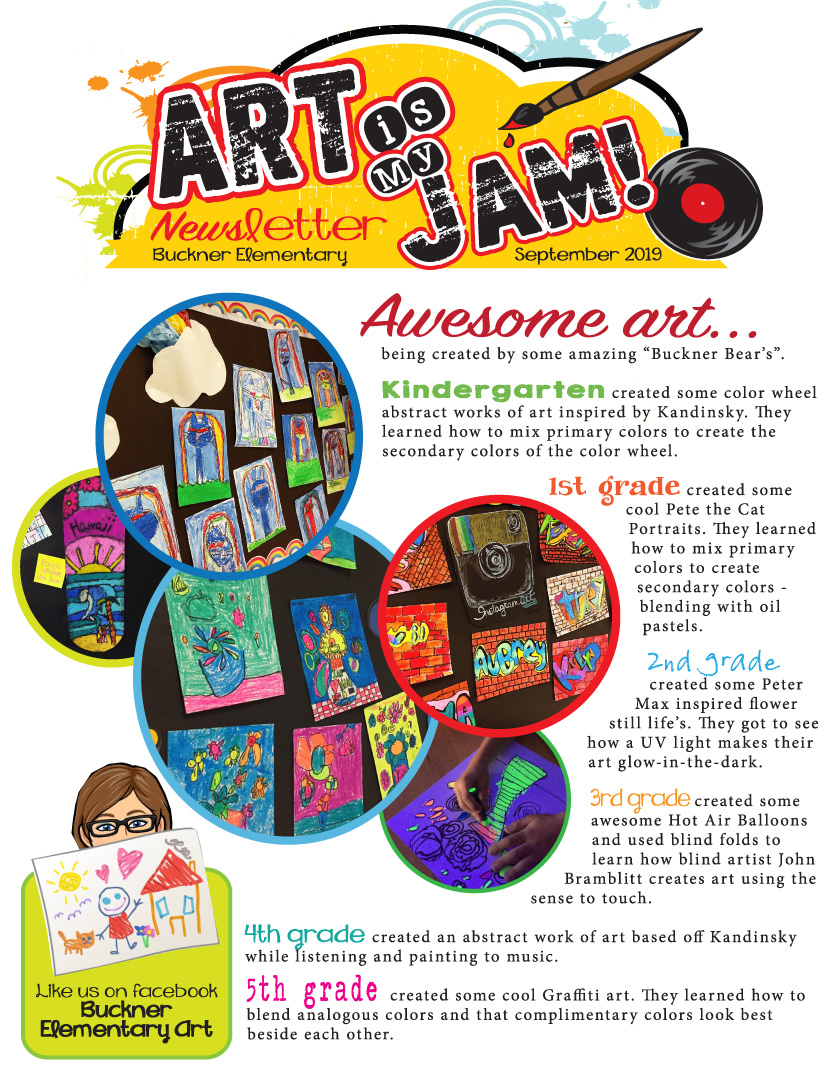
September 2019 Newsletter


I'm excited to share our next newsletter - September Newsletter, check it out! 

To view the PDF, just click on the link above and download the PDF to you computer. You do not need dropbox or to install anything, just download the file.


Don't forget to like us on Facebook: 
Buckner Elementary Art


August 11, 2019


Well, it's "Back to School" and I have my first newsletter ready.  It's filled with lots of great stuff and how I'll be sharing art and communicating this school year. I'm excited to share our first 2019/2020 school year newsletter - August Newsletter, check it out! 

To view the PDF, just click on the link above and download the PDF to you computer. You do not need dropbox or to install anything, just download the file.


April 05, 2019


April STEAM Newsletter - To view the PDF, just click on the link and download the PDF to your computer. You don't need Dropbox, just download the file to your computer.


November 26, 2018

Launch Update!  


So EXCITED to update you on the LAUNCH of PLTW (Project Lead the Way) into our curriculum...
Click on the link below for our newest Newsletter!
November Launch Newsletter


September 03, 2018


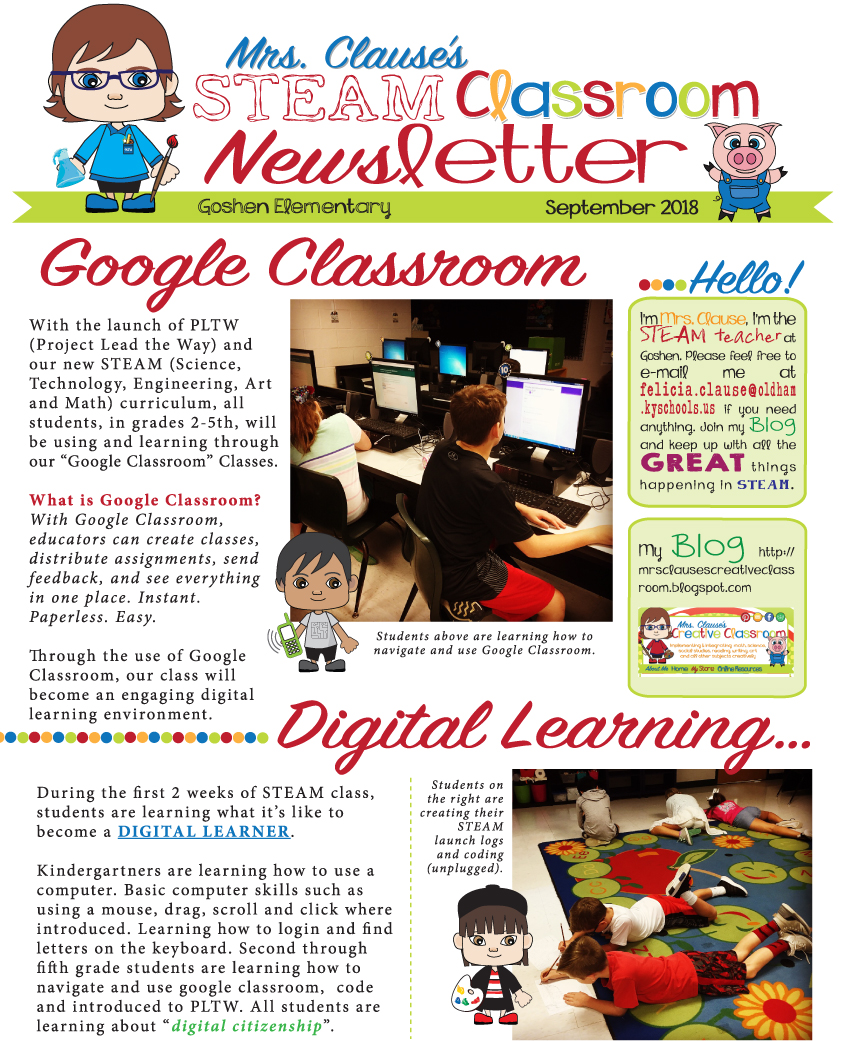
September STEAM Newsletter - To view the PDF, just click on the link and download the PDF to your computer. You don't need Dropbox, just download the file to your computer.


August 21, 2018


Welcome to our first STEAM Newsletter and some exciting things happening at our school. 

STEAM - Science, Technology, Engineering, Art and Math

August STEAM Newsletter - To view the PDF, just click on the link and download the PDF to you computer. You do not need dropbox or to install anything, just download the file.


Google Classroom Learners
Here's a look at some great things happening in our classroom. Students are working hard learning their username and passwords. They are also learning how to join and use our "Google Classroom" page. This is where they will become DIGITAL LEARNERS! To learn more about "Google Classroom" check out this website: Ed Tech Teacher's Post


August 08, 2018

For the Love of Symbaloo!  

One of my favorite technology tools is "symbaloo". For those of you who aren't sure what symbaloo is, this post will give you details and ways in which I've used it in my classrooms. 

Do you have lots of great websites, videos, etc... that you use in your classroom? 
Is it hard to find them and/or you feel like you have a billion bookmarks? 

Well, this is what I have used for years with all my classes and since I teach K-5th grade, it has been a lifesaver.


My Symbaloo Webmix
Symbaloo is a FREE visual bookmarking tool that makes it simple and fun to organize the best of the web. With an account you can access your bookmarks from any device and share your online resources with others.

How can you use it in the classroom?
You literally have all your websites at your fingertips. You can create a web mix of links that can be shared - privately or publicly, if you'd like. The link will take students, colleagues and parents straight to your webmix. Symbol will also generate you a embedded code to add to your blog. It's perfect for parents who are looking for good websites for "extra practice" or to find important information during the school year.

Check out the symbaloo website to learn more and get started!