Links


Banner

Showing posts with label Google Classroom. Show all posts

August 23, 2020

  Check out my NEW
Interactive Google Slides! 

Perfect for learning about "The Elements of Art"! This one features the Element of Art - LINE and includes drag and drop options, etc... It's both informational and interactive for students. Perfect for those using Google Classroom. 

You can find them in my TPT Shoppe by clicking here:


 back to school

Welcome to the 2020/2021 School Year "Virtual Style"

Soon we begin the 2020/2021 School Year and it's definately going to be a unique situtation. This will be my first year not being face-to-face with my amazing art students. My heart is heavy as I LOVE seeing all my students each and every day. But, I will be teaching ART...just VIRTUALLY and I'll get to seem them through google meet once a week so that's a huge plus. I'm hoping this will be short lived and we can be back in the classroom together soon. So making the best of this, I've created a ton of interactive and virtual art lessons. As I get them all complete, I'll post them for all to see. 

Here's one of many....my DIGITAL/INTERACTIVE "Welcome Letter" for parents with all the different links and information to hopefully make things easier. 

July 28, 2020


Bitmoji Classroom Designs
"Virtual Classroom"

Working on creating my virtual classroom “Bitmoji Style”. So far I’ve created an Art Library, Calming Room, Art Gallery, Parent Sheet and my Art Classroom. Working on adding some other things like lesson links, etc... 2020/2021 School Year is kicking off soon and I’m hoping all my Amazing Artists will LOVE this. 


July 13, 2020

"Bitmoji Fever" Google Slides

I've been working hard on creating a faster digital workflow for students and myself. Check out my new cover and I'm adding lots of links to enhance their learning. Here's a preview and I'll have it "live" soon :)
Art is my Jam! Virtual Classroom 


July 27, 2019


Exciting News!
I'm Google Level 1 Certified

As an art teacher, I thought why should I get certified as a "Google Educator"? 

Well after doing a ton of research and checking out some BLOGS (which I will list below), I realized that it would be a great resource for me and something I'd like to integrate into my own teaching and classroom.

The source that really helped me was going through Kasey Bell's matrix that she posts for FREE. Here's the link to her site: https://shakeuplearning.com/blog/ 

I had never used Google Classroom and I soon fell in love with a  lot of aspects of it. I will be posting videos and more information as I document my process. You can also find how I used it previously in my "STEAM" classes under my labels titled STEAM & Google Classroom. 

Here are a few other sites that I've found that have some great resources, etc...


November 06, 2018

Create your own Channel!  

One of the best things I have done over the years is create my own YouTube channel.

I use videos to teach lots of concepts and this is a great way to store them for easy access and it also allows you to post them so kids can watch them as instructional tools.

Do you have lots of videos that you use in your classroom? 
Is it hard to find them and/or you feel like you have to search through a billion folders and files to find them? 

This is what I have used for years with all my classes and since I teach K-5th grade, it has been a lifesaver.


How can you use it in the classroom?
You literally have all your videos (both the ones you create and others) at your fingertips. You can create a playlist of links that can be shared - privately or publicly, if you'd like. The link will take students, colleagues and parents straight to your saved videos. YouTube will also generate you a embedded code to add to your blog, google classroom page, etc... It's perfect for students who might need to watch a video again for "extra practice" or to find important information during the school year.

Here's a link (below) to one of my favorite borrowed videos. I have playlists for both ART & STEAM!
Never Give Up! 


October 29, 2018

Technology Galore! 

What a great first rotation with all these amazing students. They have been hard at work learning how to use and navigate Google Chrome & Google Classroom! 


 Google Classroom is a FREE Google app that lets educators create classes, distribute assignments, send feedback, and see everything in one place.

All 2nd through 5th grade classes are now learning and becoming "digital learners". To learn more check out Google for Education


November STEAM Newsletter - To view the PDF, just click on the link and download the PDF to your computer. You don't need Dropbox, just download the file to your computer.


September 03, 2018


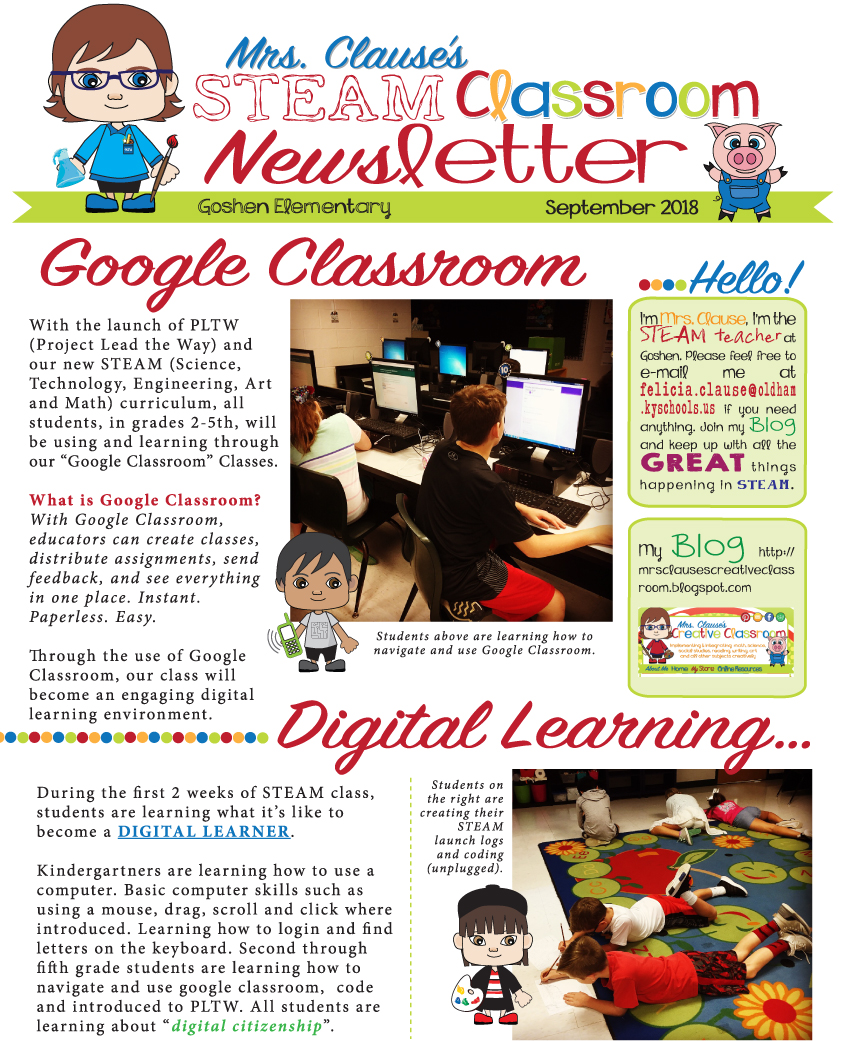
September STEAM Newsletter - To view the PDF, just click on the link and download the PDF to your computer. You don't need Dropbox, just download the file to your computer.